🌸 eSIM PINK · READY FOR YOUR NEXT TRIP
Travel light. Connect with PINK.
Keep your SIM. Find mobile data for your next destination.
- South Korea · 3–30 days
- Global checkout · PayPal · USD
 Issued after payment is verifiedPayPal
Issued after payment is verified
Global checkout · PayPal · USD
Data only · eSIM-capable, network-unlocked phone required
🌸 South Korea
Data for your trip to Korea
After the daily high-speed allowance, the plan’s reduced speed applies. Review the details before buying.
Loading plans…
Issued after payment is verified
Data only · eSIM-capable, network-unlocked phone required

Your trip is a start. Keep learning Korean.
Try the first two sections of the HallyuClass Hangul guide for free.
Try the free Hangul guideHow it works
From payment to Korea in four steps
- 1
Pay securely
Pay with PayPal in about a minute. Prices are in US dollars.
- 2
Check your email
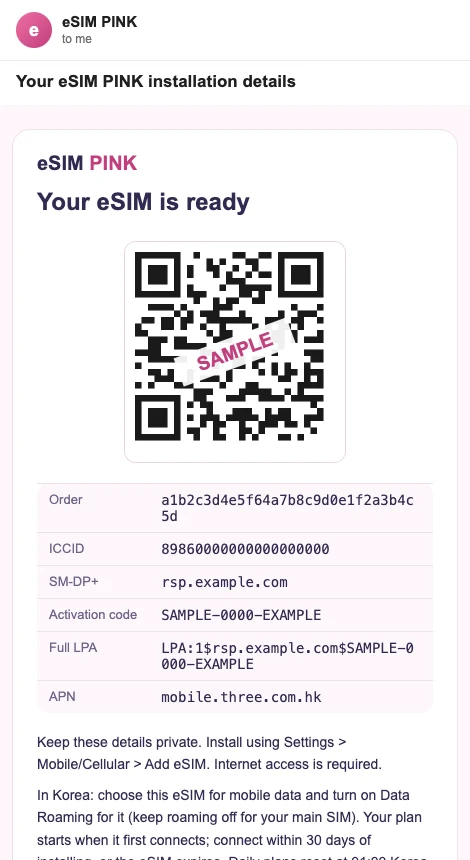
Your eSIM arrives by email within about 10 minutes, with a QR code and install steps. Look in your spam folder too.
- 3
Install on Wi-Fi
Scan the QR code in your phone's eSIM settings. Install it within a few days of your trip and never delete it.
- 4
Turn on data in Korea
Choose this eSIM for mobile data and switch Data Roaming on for it. Your plan starts when it first connects.
Before you buy
When should I install my eSIM?
You need an internet connection for installation. Activation rules vary by plan; follow the supplied instructions.
Can international customers pay?
Customers in PayPal-supported markets can pay in USD. Available payment options are shown by PayPal at checkout.
What if issuance is delayed?
Keep your order number and check the status on your order page. Avoid making a duplicate purchase.
I installed it but I have no internet. What now?
In Settings, open Mobile/Cellular data, select this eSIM for mobile data and turn Data Roaming on for it. Then switch Airplane mode on and off. Make sure your main SIM is not the line used for data.